Firmware & recoveryReviewed
Factory Reset an AI Box When You Can't Reach Settings
No Settings menu? Reset a Carlinkit TBox with into_recovery.cfg, an ApplePie UX999 with recovery_command, a Picasou 3 with its reset hole.
Carlinkit TBox PlusCarlinkit TBox AmbientCarlinkit TBox UHDApplePie UX999 Mini / Pro / MaxApplePie UX999 UltraApplePie UX999 RocketOttocast Picasou 3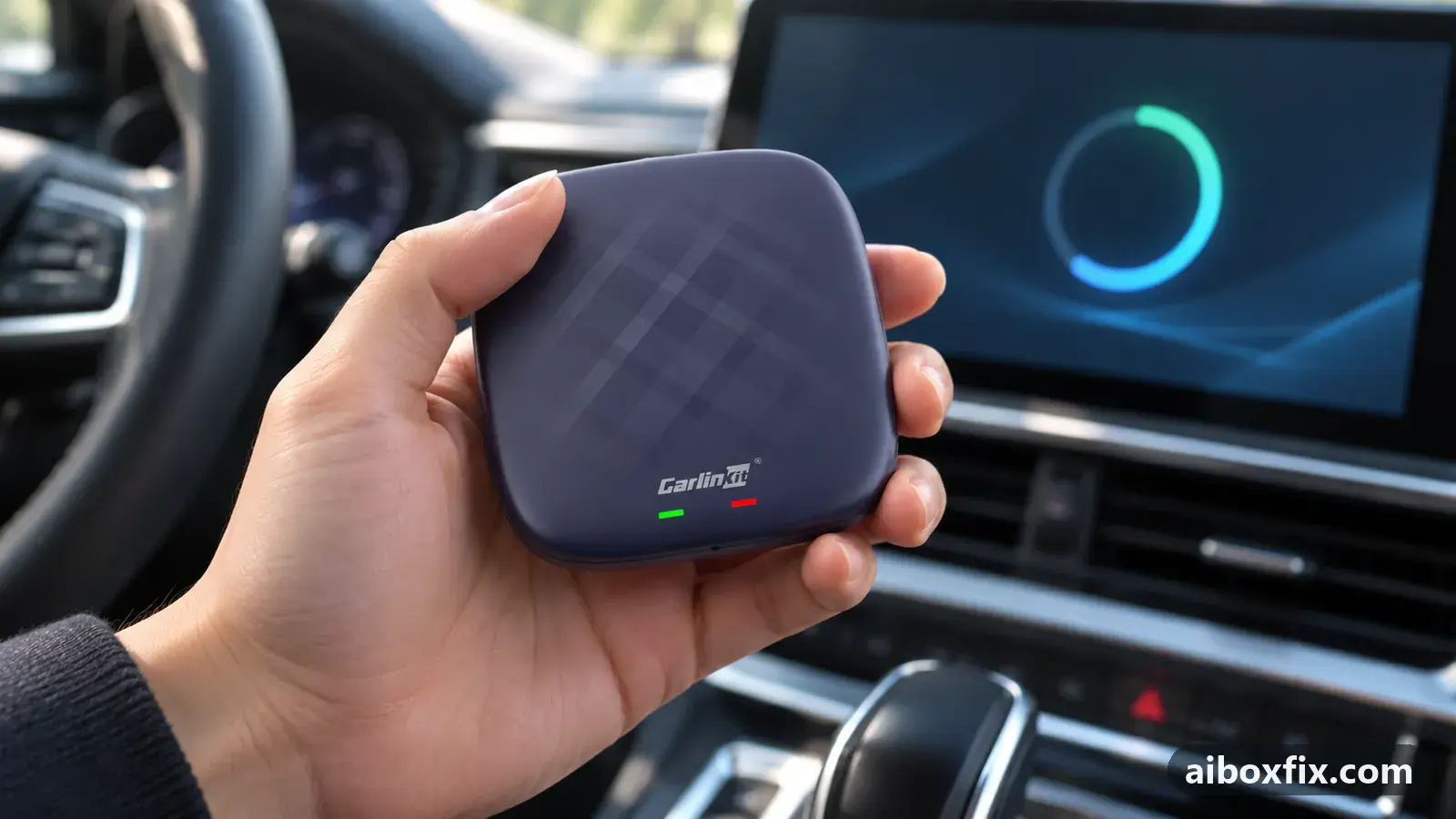
Quick answer
To factory reset a Carlinkit TBox Plus, Ambient or UHD without its Settings menu, put a text file named into_recovery.cfg containing only the character 1 on a microSD card, insert it, power the box and wait five minutes; six owners confirmed it. ApplePie UX999 boxes use an empty recovery_command file, and the Ottocast Picasou 3 has a reset hole.
Before you start
- Your exact box model (case label or the seller's listing)
- A microSD card formatted FAT32, ideally one that has worked in the box before
- A computer to create the file on the card
- A power source for the box: the car's USB port or a good charger
- Accepting that a factory reset erases your apps, logins and settings
Time: about 30 minutes. Tools: computer with a microSD card reader, microSD card (FAT32), SIM-eject tool or paper clip (Picasou 3).
Applies to
- Devices
- Carlinkit TBox Plus
- Carlinkit TBox Ambient
- Carlinkit TBox UHD
- ApplePie UX999 Mini / Pro / Max
- ApplePie UX999 Ultra
- ApplePie UX999 Rocket
- Ottocast Picasou 3
- Connection to the car
- CarPlay and Android Auto
- Highest risk on this page
- Brick risk
First: does the box really need a reset?
A box that shows nothing on the car screen after an update or reset is often alive and only in the wrong protocol. Check that first in box seems dead after an update? check its protocol: it takes two minutes and erases nothing.
A factory reset deletes your apps, accounts and settings, including values you changed in the engineering menu. Use it when the box starts but you cannot get into Settings: it boot-loops before the menu loads, touch stopped working, or the picture disappeared after a setting you changed. If the box resets fine but is still broken, the problem is in the firmware, not your data; see the troubleshooting section at the end.
Which method fits your box?
- Carlinkit TBox Plus, Ambient and UHD: the into_recovery.cfg file. TBoxes have no reset button; the pin-hole switches the protocol.
- ApplePie UX999 Mini, Pro, Max, Ultra and Rocket: the empty recovery_command file. On the Ultra the pin-hole button is the EDL button for a computer, not a reset.
- Ottocast Picasou 3: the reset hole next to one of the feet.
- UX999 Ultra, when the card file does nothing: erasing the userdata partition with QFIL. This is Brick risk.
Steps
Carlinkit TBox: reset with an into_recovery.cfg file
- Advanced
- Time: 10 minutes
- Worked for 6 of 8 reports
Warranty warning: this uses developer or engineering access. Follow the undo steps afterwards; some sellers refuse warranty claims on units with debugging left enabled.
- On a computer, create a plain text file and type the single character 1 in it, nothing else.
- Save it as into_recovery.cfg. Make sure the name does not end in .txt: in Windows Explorer turn on View → File name extensions to check.
- Copy the file to the root of a FAT32 microSD card, not into a folder.
- With the box unplugged, insert the card into the box’s own slot.
- Power the box from the car’s USB port or a charger and wait about 5 minutes.
- Unplug the box, take the card out and delete the file from it before the box starts again.
Six owners confirmed the reset. A TBox Plus owner whose box boot-looped before the menu could load got a clean reset this way. So did a TBox UHD owner whose box restarted part-way through loading after he had removed a speed-camera app that was set to start at boot. Another TBox Plus owner, whose box was stuck in ADB mode with no picture on the car screen after the 142618 code, asked Carlinkit support: they sent him this exact file, and it restored factory settings. An Ambient owner made the file himself from scratch and it worked, and another owner reset his box plugged into the car’s USB port instead of a charger.
Delete the file afterwards. One owner’s box restarted about ten times in a row after the reset; once he deleted the file from the card it started normally, with the language back at its default. One owner reported that the file did nothing on their box, and another saw the box start for a few seconds only.
ApplePie UX999: reset with an empty recovery_command file
- Advanced
- Time: 15 minutes
- Worked for 5 of 9 reports
Warranty warning: this uses developer or engineering access. Follow the undo steps afterwards; some sellers refuse warranty claims on units with debugging left enabled.
- Put a FAT32 microSD card in your computer.
- Create an empty file named recovery_command in the root of the card, with no extension at all. On Windows, open Command Prompt and run the line below, with your card’s drive letter instead of X. On a Mac, run
touch /Volumes/CARD/recovery_commandin Terminal, with your card’s name instead of CARD. - Eject the card. Power the box and let it start, even if the screen stays black.
- Insert the card into the running box and wait several minutes.
- Take the card out. If nothing happened, repeat with a different card.
copy NUL X:\recovery_commandFive owners reported success. A UX999 Max owner whose touch stopped working after he changed the screen resolution got no reaction at first; after he replaced the microSD card, the box reset to factory settings. A UX999 Ultra owner reset his box this way before installing firmware. A third owner, whose Ultra showed only a black screen after a wrong firmware file, inserted the card after the box had started, as an experienced member advised, and it worked. The same advice brought back a UX999 Rocket that powered on but no longer connected to the head unit after its owner turned off a debug setting called xq debug.
A reset also finished the job after a firmware change. One UX999 owner who rolled back his firmware was left with no sound, dead buttons and a box that dropped off the head unit after a minute. At home, without the car, he installed the September build, reset with the file, installed the October update and reset with the file again; in the car everything worked.
It did not work for four other owners: a Max-type box in a boot loop, an Ultra 3.0, an unbranded Mini-type box and an Ultra after a downgrade. One long-time member says the file deletes itself after the reset. The file does nothing on boxes running Carlinkit firmware; those use into_recovery.cfg above.
Ottocast Picasou 3: hold the reset hole for 15 seconds
- Low risk
- Time: 2 minutes
- Worked for 2 of 3 reports
- Connect the Picasou 3 to the car or to power and let it start.
- Turn it over: on the back there are three small feet, and next to one of them is a tiny hole.
- Press the button inside with a SIM-eject tool or a paper clip and hold it for about 15 seconds.
- Release and let the box restart, then set it up again.
Two owners confirmed it. One found the hole from this description and sorted his box out; the owner who described it later had crashing apps and a broken Settings button after a faulty update, and only the reset helped. A third owner’s Picasou was stuck at the boot logo after an update and did not react to the pin, so the box has to be running for this to work. For the Picasou 3 Pro, owners describe the switch on the underside as a protocol switch; see the Picasou 3 hub.
UX999 Ultra, if the file does nothing: erase userdata with QFIL
- Brick risk
- Time: 45 minutes
- Worked for 1 of 2 reports
Warranty warning: this changes system partitions. A wrong file or an interrupted step can leave the box unbootable, and manufacturers treat it as outside warranty. Back up first and keep the undo steps open.
- On a Windows PC, install QFIL (part of QPST) and the Qualcomm USB driver. You also need the firehose programmer for your box’s chip, which comes with ApplePie’s recovery package from the maker’s support.
- Unplug the box. Hold the pin-hole button and keep holding it while you connect the box to the PC; it appears in Device Manager as Qualcomm HS-USB QDLoader 9008.
- In QFIL select the port and the programmer, then open Tools → Partition Manager.
- Right-click userdata, choose Manage Partition Data, and use Read Data first to save a backup. It can be tens of gigabytes.
- In the same window press the Erase button for userdata. Never use the Erase entire flash menu item.
- Disconnect the box, connect it to the car and give the first start up to 10 minutes.
A UX999 Ultra owner did this after an experienced member’s step-by-step advice and it worked. The warning about the menu item matters: erasing the entire flash wipes far more than your data. If QFIL shows no port or Partition Manager will not open, the general QFIL checks in recover a TBox Plus or Ambient with QFIL apply here too.
A second owner, on a box with APM1688 firmware, erased only userdata after backing it up, and the box stopped booting; its LEDs came on and went out. He brought it back with a full recovery from the official recovery files. Do not use this method on a Carlinkit TBox: a TBox Plus does not boot with an empty userdata partition, so Carlinkit boxes are recovered with the full package instead.
Verify it worked
A reset box starts like a new one: the setup screen or the stock home screen, none of your own apps, and the language back at its default. One owner found his menu back in the default language afterwards.
Connect it to the car in your usual protocol, set the language, and sign in again. If the car shows nothing, the box may have come back in the other protocol; see box seems dead after an update? check its protocol.
Undo / rollback
A factory reset cannot be undone. Your apps, logins and home screen are gone, and engineering-menu values return to defaults, so write down what you need before you start if you still can.
What you can undo is the trigger. Remove into_recovery.cfg or recovery_command from the card before the box starts again, or it may reset at every start. If you erased userdata with QFIL, the backup you read first is your only way back.
Troubleshooting this guide
Nothing happens with the file. Check the name first: into_recovery.cfg must not be into_recovery.cfg.txt, and recovery_command must have no extension. The card must be FAT32 and in the box’s own slot, not the head unit’s. Then try another card: the UX999 Max reset above only went through after the owner swapped cards.
A box that boot-loops after you set an app to start at boot. That is the case the reset is made for: the TBox UHD owner above got his box back with into_recovery.cfg.
The box resets again at every start. The file is still on the card. Take the card out, delete the file, and start the box without it.
The reset worked but the box still boot-loops or shows nothing. The fault is not in your data. One TBox Plus owner reset his box this way and the boot loop stayed. Try the protocol check above, then recover the firmware: recover a TBox Plus, Ambient or UHD with QFIL, or for a TBox Ultra recover a bricked TBox Ultra with QFIL. For ApplePie boxes, ask the maker’s support for recovery files.
The box only misbehaves after an update, and you can still open Settings. You do not need any of this. Clear the cache first and reset from the menu if needed, as in factory reset after a firmware update.
The box is stuck in ADB mode with no picture. That happened to the TBox Plus owner whose file came from Carlinkit support. If a computer still connects to the box over ADB, the code that turned ADB mode on also turns it off; see enable ADB on an AI box. The reset file is the way out when the computer route fails.
What owners said
“Only the reset helped.”
Owner, Ottocast Picasou 3, Sep 2025
“Thanks, the method really works. The box reset. […] But in my case it didn't help: the boot loop stayed.”
Owner, Carlinkit TBox Plus, May 2025
“It all worked. Thanks! I did it at home, blind, without the car: flashed the September firmware, then a reset via the file, installed the October update, reset via the file again. Went to the car, everything worked!”
Owner, Dec 2023
Quotes are translated where needed and shortened ([…]); names are removed. Full counts are in the evidence table below.
Questions owners ask
Where do I download the reset file?
You do not need to. into_recovery.cfg is a text file with the single character 1, and recovery_command is an empty file; you make both yourself in a minute. Carlinkit support also sent the file to one owner who asked. Do not use ready-made copies from community uploads.
Do I need a car to reset the box this way?
No. The card methods only need power. The community instruction uses a charger, and one owner plugged the box into the car's USB port as usual instead; the reset went through. A UX999 owner did both his resets at home, away from the car.
Is the pin-hole on a Carlinkit TBox a reset button?
No. On the TBox it switches between CarPlay and Android Auto, and on the UX999 Ultra the pin-hole button is for EDL mode on a computer. Of the boxes on this page, only the Ottocast Picasou 3 has a real reset hole.
Will the reset bring the box back if it boot-loops?
Only if the cause is in your apps or settings. One TBox Plus owner reset his box successfully and the boot loop stayed, which points to the firmware or the hardware instead.
Parts the fixes above need

microSD card (32 GB, formatted FAT32)
Local firmware updates, reset files and protocol-switch files are read from a FAT32 card. A high-endurance 32 GB card copes with car heat; pick the 32 GB size.
Some links above are affiliate links: if you buy through them we may earn a commission at no extra cost to you. It never changes which fix we rank first. Product photos are the sellers' own, from the AliExpress listing. Disclosure.
Related fixes
- Box Dead After an Update or Reset: 9 Owner ReportsLow risk
- Factory Reset After Every Firmware Update? Try Cache Code 110144Advanced
- Settings or Factory Settings Won't Open After an UpdateAdvanced
- TBox Keeps Rebooting and Wiping Itself When It Goes OnlineAdvanced
- ApplePie or UX999 Black Screen After a Firmware UpdateAdvanced
Did this work for you?
Tell us which fix worked (or didn't), with your box, firmware date and car. Reports are how fixes get confirmed and re-ranked.
Send a reportChangelog
- Last reviewed against new community reports:
- Confirmed by 14 community reports on Carlinkit TBox Plus, Carlinkit TBox Ambient, ApplePie UX999 Mini / Pro / Max, Carlinkit TBox UHD, ApplePie UX999 Ultra, ApplePie UX999 Rocket, Ottocast Picasou 3.
- Page updated:
"Confirmed" means a community member reported that the fix worked on their unit. We have not tested it on our own hardware. How we verify.
Evidence behind these counts (6 cases)
One row per case: a device, a symptom and a fix, merged from owner reports. An owner counts once per fix. Reports with no outcome yet are not counted. Forum and chat message references are kept on file but not published, to protect owners' privacy; public Reddit and YouTube sources are linked.
| Case | Confirmed on | Result | Source |
|---|---|---|---|
| case-8630 | Carlinkit TBox Plus; Carlinkit TBox Ambient | 5 worked, 2 did not | Owner discussion threads, 17 messages |
| case-8631 | ApplePie UX999 Mini / Pro / Max; ApplePie UX999 Ultra | 3 worked, 4 did not | Owner discussion threads, 20 messages |
| case-8632 | Ottocast Picasou 3 | 2 worked, 1 did not | Owner discussion threads, 6 messages |
| case-8633 | ApplePie UX999 Ultra | 1 worked, 1 did not | Owner discussion threads, 11 messages |
| case-9580 | Carlinkit TBox UHD | 1 worked | Owner discussion threads, 3 messages |
| case-9581 | ApplePie UX999 Rocket | 2 worked | Owner discussion threads, 9 messages |