Power & connectionReviewed
Box Works in the Old Car but Not the New One: Blind Update
AI box from another car shows only a flickering CarPlay icon on a newer head unit? Install current official firmware blind from update.zip. Carlinkit TBox.
Carlinkit TBox Ambient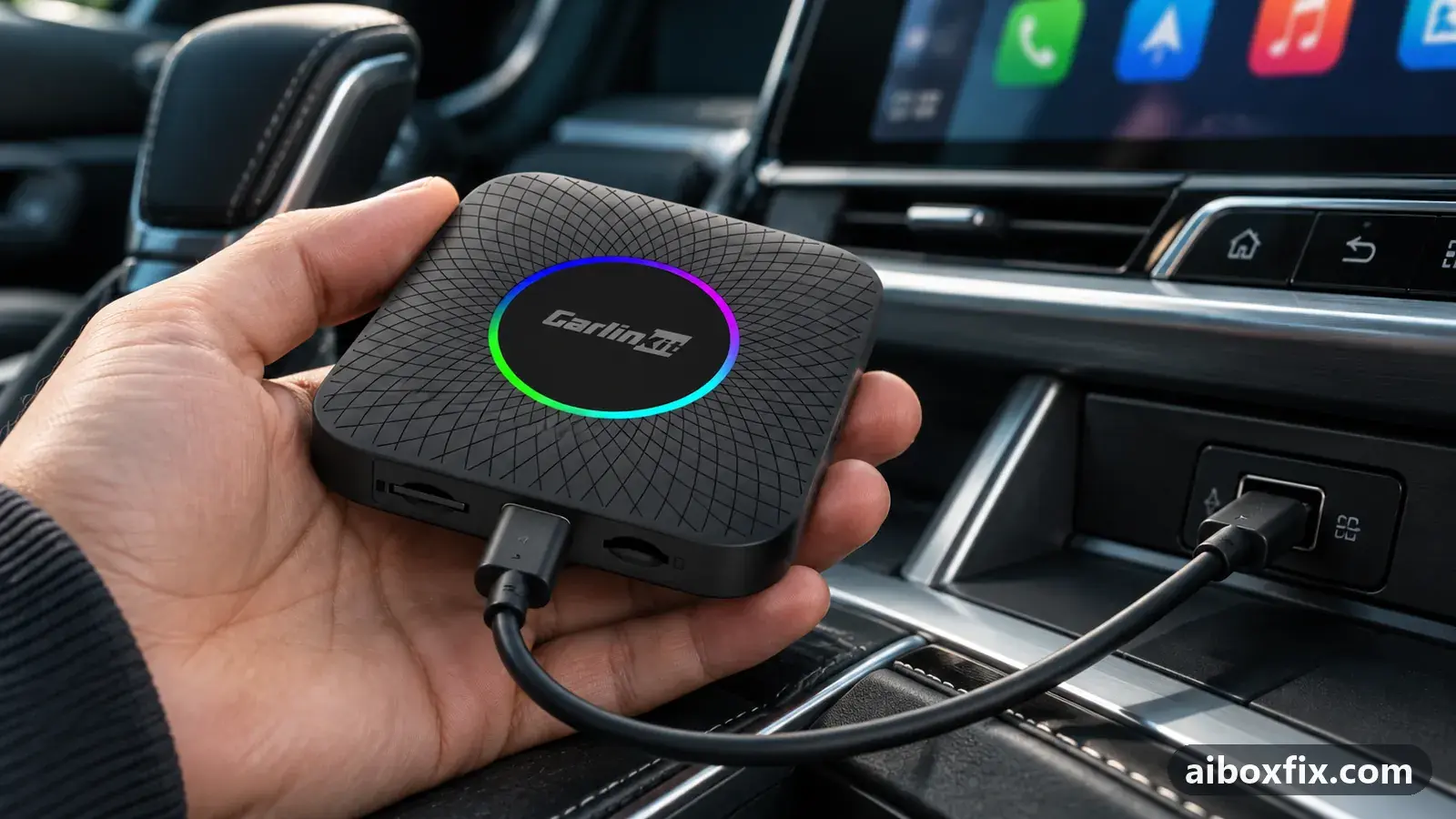
Quick answer
If a Carlinkit TBox Ambient from another car shows only a flickering CarPlay icon on a newer head unit, install the latest official firmware blind: update.zip on a microSD card, box powered and untouched for 25–30 minutes. One owner confirmed it on a Belgee X50, and the box then worked in two cars.
Symptoms
- The box's LED lights up and blinks green, but nothing opens on the car screen
- The CarPlay icon on the head unit stays grey and flashes green for a split second now and then
- Your phone can see the box's Bluetooth name, yet the car never starts a session
- You cannot open the box's Settings, so you cannot check or update its firmware
- The box worked before, in another car or for its previous owner
Applies to
- Devices
- Connection to the car
- CarPlay
- Head units mentioned in reports
- Audi MMI; Belgee Belgee head units
- Highest risk on this page
- Advanced
- Status
- Workaround confirmed by the community
Why it happens
Newer head units speak a newer version of the CarPlay handshake. A box still running firmware from months or years ago gets far enough for the head unit to light the CarPlay icon, then fails to start the session, so the icon flashes and goes grey again. Owners call this a known problem with a known answer: a current official build.
The catch is that the box has to connect before you can open its Settings or the FOTA app. A box that does not connect leaves you only the memory-card route, where the box finds the update file at start-up and installs it without any screen.
Fixes, ranked
Install the latest official firmware blind from a microSD card
- Advanced
- Time: 30–40 minutes
- Worked for 1 of 1 report
Warranty warning: this uses developer or engineering access. Follow the undo steps afterwards; some sellers refuse warranty claims on units with debugging left enabled.
- Find your exact model and variant. The case label and LEDs help when Settings cannot be opened: see which TBox do I have.
- Get the latest official build for that model from Carlinkit’s support channels ([email protected] if you cannot find it).
- Rename the file to update.zip. Do not unzip it.
- Copy it to the root of a FAT32 microSD card, not into a folder.
- Insert the card into the box.
- Power the box from any USB source: the car, a phone charger or a power bank.
- Leave it alone for 25–30 minutes. Do not unplug it or press the button.
- Remove the card, connect the box to the car and give it about 30 seconds on the first start.
The owner who confirmed this had bought a used TBox Ambient (6225, 4/64) that a 2025 Belgee X50 would not start: the LED and ambient light came on, his phone saw the box’s Bluetooth, and the CarPlay icon flashed green for a split second at most. A reset and a firmware file he had tried earlier changed nothing. After the blind update, the first start in an Audi looked like the old fault, with the icon flashing and vanishing, but about 30 seconds later the box came up. He then tested it in two cars and it worked in both.
A TBox Plus owner on the same Belgee X50 saw the same flashing tile and fixed it the same way with the latest Android 13 build: the green LED blinked fast for about 10 minutes, the box rebooted, and it then worked in the car. That report is counted on the Geely and Belgee car page.
After an update the box may come up in a different protocol from the one you used before. If the car still sees nothing, check that first with a box that looks dead after an update.
Things to try (unverified)
- Check that the new car offers wired CarPlay or Android Auto at all. One reply said the restyled Geely Monjaro offers only wireless CarPlay and a screen-mirroring app, with nothing wired for the box to use. The owner did not report back. The Geely and Belgee page covers what each model’s head unit offers.
- Recovery files first, then the blind update. For the TBox Plus in the Belgee X50, and for a box that moved from a Chery Tiggo 7 Pro to a Jetour T1, replies suggested restoring Android 13 with the recovery files and then updating blind to the latest build. The Belgee owner fixed his box with the blind update and did not say whether he used the recovery files; the Jetour owner did not report back. Recovery means flashing from a computer and carries a real risk of bricking the box.
- Test the box in a second car. Suggested so you know whether the box or the head unit is the problem; the Ambient owner had no second car at hand until after the update.
- The protocol file did not help the Jetour owner. His box kept starting in CarPlay and the car asked him to enable CarPlay on the “iPhone”; this stayed unresolved. For switching protocol, see switch CarPlay and Android Auto.
A factory reset is not worth the time here: one reply said so directly, and the Ambient owner’s earlier reset changed nothing. If the box connects but only after you replug it, the problem is boot timing, covered in car doesn’t detect the AI box.
If nothing works
Note the box model and variant from its label, the firmware file you installed and its date, the car make, model and year, the head unit’s software version if you can find it, and the protocol the car offers. A short video of the LED and the CarPlay icon after the blind update helps support more than a description. Send it to Carlinkit at [email protected].
If the box still flashes and drops after a current build and a recovery, and the car connects a phone without trouble, that head unit and box may not work together. Start here if you are choosing another box.
What owners said
“After the update the glitch was the same: in the Audi the CarPlay icon flashed and vanished, but then after about 30 seconds everything worked.”
Owner, Carlinkit TBox Ambient, Feb 2026
“Checked it in two cars […] and everything works. Thanks.”
Owner, Carlinkit TBox Ambient, Feb 2026
Quotes are translated where needed and shortened ([…]); names are removed. Full counts are in the evidence table below.
Questions owners ask
Can I update the box if it never shows its screen?
Yes. With the update file named update.zip at the root of a microSD card, owners had the box install it on its own while powered, without opening the FOTA app. Any USB power source works, so you can do it at home.
Does the file name matter?
For this blind route, yes: owners renamed the file to update.zip. When you install through FOTA Update → Local update on a working screen, the name does not matter.
Is my box dead if the CarPlay icon only flickers?
Probably not. A CarPlay icon that lights up for a moment means the head unit saw the box as a CarPlay device. Owners read that as a firmware mismatch, not a hardware fault.
Parts the fixes above need

microSD card (32 GB, formatted FAT32)
Local firmware updates, reset files and protocol-switch files are read from a FAT32 card. A high-endurance 32 GB card copes with car heat; pick the 32 GB size.
Some links above are affiliate links: if you buy through them we may earn a commission at no extra cost to you. It never changes which fix we rank first. Product photos are the sellers' own, from the AliExpress listing. Disclosure.
If none of these fixes work
Try every free fix above first. Each of these needs a car whose screen already runs wired CarPlay or Android Auto. We have not tested them: check the seller's compatibility list for your car and head unit, and that the listing shows the exact model named here, before you buy.
Wireless CarPlay / Android Auto adapter (Carlinkit Mini Ultra 3)
If you only use the box to get CarPlay or Android Auto without a cable, a plain wireless adapter has no Android system to update, overheat or crash.
Replacement AI box (Carlinkit, Android 13, SM6225)
If the box is out of warranty and still fails after the fixes above, another Carlinkit box keeps your apps on the car screen. It needs wired CarPlay or Android Auto in the car. Pick the NA variant for North American cars, EAU elsewhere.
Carlinkit TBox Ultra (Android 15)
If an older box is too slow for the apps you run: the TBox Ultra is Carlinkit's Android 15 box, with an SM6350 chip. Check that the variant on the listing supports your car's protocol before buying.
Replacement from another maker (Ottocast P3 Pro)
If you would rather switch brands, Ottocast's P3 Pro runs Android 13 and has HDMI out. It needs the connection protocol Ottocast lists for your car. The listing opens on a cheaper Mini adapter: select the P3 Pro option and check the picture and name before you pay.
Affiliate links: we may earn a commission at no extra cost to you. Disclosure.
Related fixes
- Car Doesn't Detect the AI Box: 13 Owner ReportsAdvanced
- Update TBox Firmware Locally With FOTA and a microSD CardAdvanced
- Car Stopped Seeing the AI Box After a Head-Unit UpdateLow risk
- AI Box Keeps Rebooting or Disconnecting? Start With PowerLow risk
- AutoKit Stuck on "Waiting for Phone": Use the 5 GHz HotspotAdvanced
Did this work for you?
Tell us which fix worked (or didn't), with your box, firmware date and car. Reports are how fixes get confirmed and re-ranked.
Send a reportChangelog
- Last reviewed against new community reports:
- Confirmed by 1 community report on Carlinkit TBox Ambient.
- Page updated:
"Confirmed" means a community member reported that the fix worked on their unit. We have not tested it on our own hardware. How we verify.
Evidence behind these counts (1 case)
One row per case: a device, a symptom and a fix, merged from owner reports. An owner counts once per fix. Reports with no outcome yet are not counted. Forum and chat message references are kept on file but not published, to protect owners' privacy; public Reddit and YouTube sources are linked.
| Case | Confirmed on | Result | Source |
|---|---|---|---|
| case-8670 | Carlinkit TBox Ambient | 1 worked | Owner discussion threads, 6 messages |