Power & connectionReviewed
Wireless CarPlay Adapter Lights Up but CarPlay Never Starts
Wireless CarPlay adapter lit but no CarPlay on the car screen? Fit a certified data cable, restart the head unit, seat the plug. Carlinkit adapters.
Carlinkit CPC200-Autokit / wireless adapters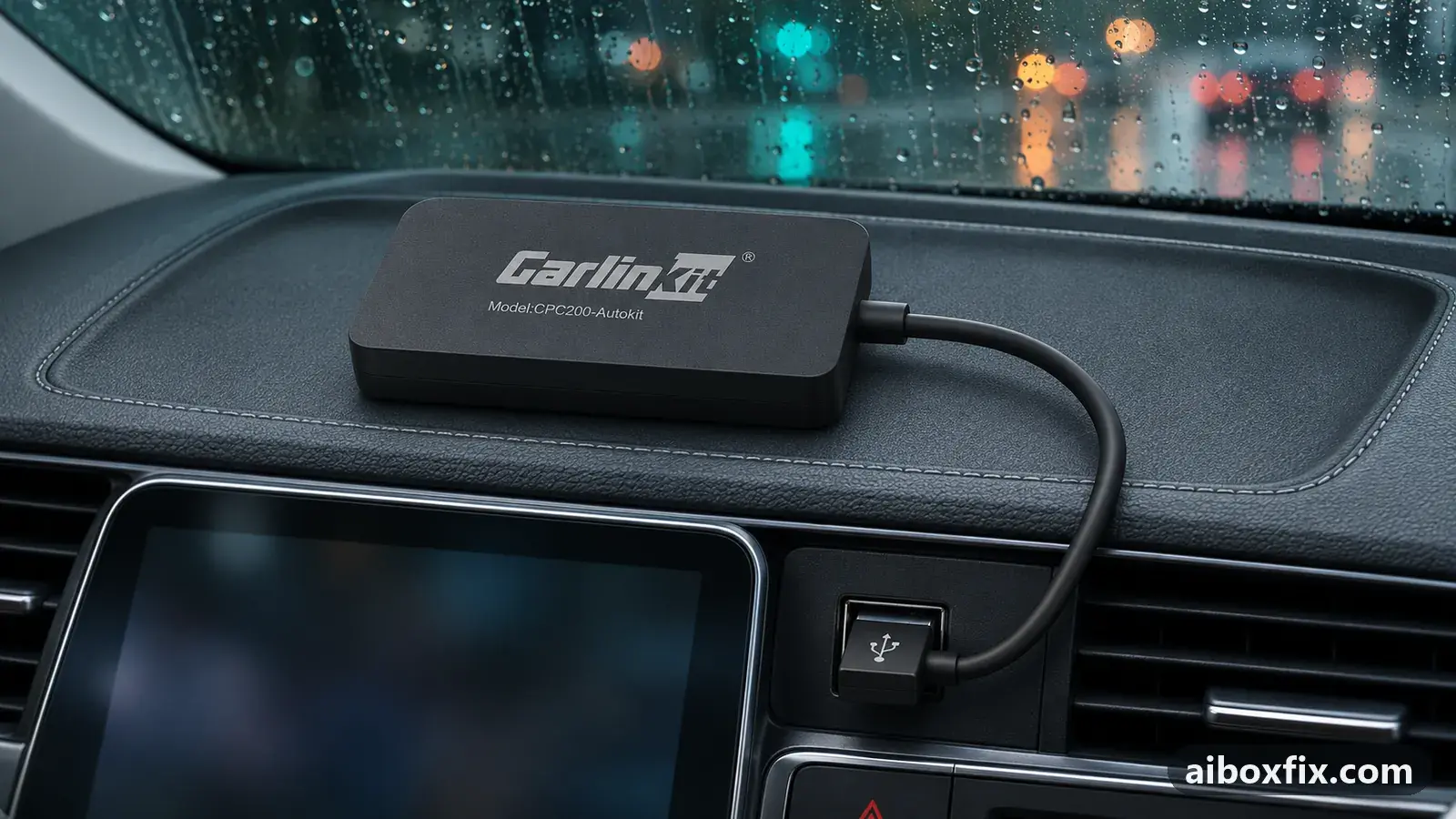
Quick answer
On a Carlinkit wireless CarPlay adapter that lights up but never starts CarPlay, replace the cable between the car's USB port and the adapter with a certified data cable: that fixed it for 3 of 4 owners who reported back. Next, restart the head unit (2 of 2 reports) and push the USB-C plug in until it clicks.
Symptoms
- The adapter's LED is on (red at power-on, or blue after Bluetooth pairing), but nothing changes on the car screen
- The head unit stays on its own menu or radio; CarPlay or Android Auto never starts
- A new adapter has never once started CarPlay in your car
- The adapter restarts soon after the blue light comes on, sometimes already at power-on
- The phone will not pair with the adapter over Bluetooth, or pairs but CarPlay never appears
Applies to
- Devices
- Carlinkit CPC200-Autokit / wireless adapters
- Connection to the car
- CarPlay and Android Auto
- Highest risk on this page
- Low risk
- Status
- Workaround confirmed by the community
Why it happens
A wireless CarPlay adapter plugs into the car’s wired CarPlay USB port and pretends to be a phone. The LED only tells you it has power. To start CarPlay it also needs a working data link to the head unit over that cable, a head unit that is ready to answer, enough power once its radios start, and a phone that has paired over Bluetooth and joined the adapter’s own Wi-Fi.
Any one of those can fail while the light stays on. A cable that charges but carries no clean data, or a USB-C plug that is not fully home, powers the adapter without the car ever seeing it. A head unit whose CarPlay service has hung ignores whatever is plugged in until it restarts. A weak USB port can run the adapter at idle but not once Bluetooth and Wi-Fi start, so it reboots and never gets that far.
If the adapter shows no light at all, that is a power problem instead; see AI box dead on a USB-C to USB-C cable. Other power faults are collected on the power and connection hub.
Fixes, ranked
Replace the cable with a certified data cable
- Low risk
- Time: 10 minutes
- Worked for 3 of 4 reports
- Unplug the cable between the car’s USB port and the adapter.
- Fit a different, good-quality USB data cable (a certified one, not a charge-only cable) with the ends your car’s port and the adapter take.
- Start the car and wait a minute for CarPlay or Android Auto to appear.
- If a second cable also fails, try one more of better quality before you rule the cable out.
One owner was convinced their Carlinkit adapter was working when the cable turned out to give no data link at all; with a new certified cable the adapter connected immediately. Another found the cable supplied in the box was the fault and used their own. A third tried a spare cable that still failed, then a good-quality 6 ft (1.8 m) cable, and the adapter came right up, so one failed spare does not clear the cable.
It did not work for everyone. One owner whose adapter lit red but showed nothing on the car screen tried two other cables without any change.
Restart the head unit, then reconnect
- Low risk
- Time: 5 minutes
- Worked for 2 of 2 reports
- Leave the adapter plugged in.
- Restart the head unit. On many units holding the power button for several seconds forces a restart; your car’s manual gives the exact way. If there is none, switch the car off, lock it and wait until the screen has gone fully dark.
- Start the head unit again and let the phone reconnect to the adapter.
One owner got the adapter running by rebooting the head unit and advises anyone stuck to find out how theirs restarts. A second owner, working through a troubleshooting guide, said resetting the stereo was the step that helped.
Push the USB-C plug in until it clicks
- Low risk
- Time: 1 minute
- Worked for 1 of 1 report
- Unplug the USB-C end of the cable from the adapter.
- Push it back in firmly until you hear or feel a click.
- Start the car and wait for CarPlay.
One owner’s Carlinkit adapter did nothing until they noticed the plug. A different cable would not fit, so they went back to the supplied one and found its USB-C end had never been pushed in far enough. It snapped in with a loud click and the adapter worked as intended. Check this before you buy a new cable.
Adapter restarts after the blue light: give it extra power
- Low risk
- Time: 15 minutes
- Worked for 1 of 1 report
- Fit an extra-power cable (a USB Y-cable) between the car’s USB port and the adapter: the data lead goes in the car’s CarPlay port.
- Plug its power lead into a USB car charger or another powered socket.
- Start the car and check that the adapter no longer restarts once the blue light comes on.
A Mitsubishi Triton owner’s Carlinkit adapter restarted every time the Bluetooth connection was made (blue light), and now and then already at start (red light). The car’s USB ports did not supply enough power; Carlinkit’s own cable for adding power, a USB power-injection cable, ended it. Another owner was told by support that their power cable was the cause and was sent a new one, but has not reported a result yet.
Put the power lead in a socket that switches off with the ignition. If it stays live, the adapter and the head unit can stay awake after you lock the car; see head unit stays on with an extra-power cable.
Join the adapter's Wi-Fi on the phone by hand
- Low risk
- Time: 5 minutes
- Worked for 1 of 1 report
- Pair the phone with the adapter over Bluetooth.
- Open the phone’s Wi-Fi settings and pick the adapter’s network.
- If the phone asks for a password, use the one in the adapter’s manual.
- Wait for CarPlay to start on the car screen.
Bluetooth only starts the session; the picture travels over the adapter’s own Wi-Fi network. One owner whose adapter never got past pairing joined that network by hand and said it worked perfectly.
Phone won't pair over Bluetooth: rename the adapter
- Low risk
- Time: 10 minutes
- Worked for 1 of 1 report
- Open the adapter’s settings page; the adapter’s manual says how to reach it from the phone.
- Change the adapter’s Bluetooth name to a new one.
- On the phone, forget the old adapter entry and pair with the new name.
One owner’s phone refused to connect to the adapter over Bluetooth at all. After they gave the adapter a new Bluetooth name, pairing went through and the adapter worked.
Reset the adapter to its defaults
- Low risk
- Time: 10 minutes
- Worked for 1 of 1 report
- Connect the phone to the adapter and open its settings page.
- Find the option that restores the default settings and run it.
- Pair the phone again and start CarPlay.
One owner solved it by resetting the adapter to defaults. Afterwards they lowered the adapter’s delay setting from 1000 ms to 250 ms, because calls lagged badly at the default. If music then stutters, the same setting is the cause; see music stutters through a CarPlay adapter, where owners raised it instead.
Things to try (unverified)
- Update the adapter’s firmware. It is a common suggestion, but the one owner who reported installing every available update said the adapter still did not start CarPlay. Do it after the cable and head-unit checks, not instead of them.
- Check that the car has wired CarPlay or Android Auto. An adapter of this kind turns the car’s wired CarPlay into wireless; it cannot add CarPlay to a head unit that has none. Plug the phone in by cable on the same port: if wired CarPlay does not start either, the adapter is not the problem. No owner on this page reported this as their cause.
- It works after a replug but not after a cold start. That points at start-up timing rather than the adapter; see car doesn’t detect the AI box after ignition. The fixes there are for full Android boxes and were not reported on wireless adapters.
If nothing works
Write down the adapter’s model from its label, what the LED does (colour, steady or blinking, whether it restarts), the car’s make, model and year, the head unit, the phone, the cables you tried, and whether wired CarPlay works with the phone on the same port. A short phone video from switching the car on until the adapter gives up helps support more than a description.
Send that to Carlinkit support at [email protected] or through the message form; for another brand, use its maker’s support channel. If wired CarPlay fails on that port too, the car’s port or head unit is at fault and a dealer visit is the next step. If the adapter fails in every car and with every cable, it is faulty and a replacement is the honest answer; start here explains how adapters differ from full Android AI boxes if you are choosing what to buy next.
What owners said
“Turns out my USB cable was dodgy, so there was no data link. As soon as I plugged the box in using a new certified cable, the box connected immediately.”
Owner, Carlinkit CPC200-Autokit / wireless adapters, Oct 2024YouTube video
“I managed to get it running by rebooting the head unit. Find a way to reboot your head unit and try to reconnect it again.”
Owner, Oct 2023YouTube video
“I tried that with two different cables and nothing.”
Owner, Carlinkit CPC200-Autokit / wireless adapters, Oct 2023YouTube video
Quotes are translated where needed and shortened ([…]); names are removed. Full counts are in the evidence table below.
Questions owners ask
Does a lit LED mean the adapter is working?
It only means the adapter has power. The data link to the head unit runs on separate wires in the same cable, so a faulty cable or a half-seated plug can light the adapter while the car never sees it. Three owners' adapters started as soon as the cable was replaced.
Which cable should I use?
A data cable, not a charge-only one, with the ends your car's port and the adapter take. Owners who fixed it used a new certified cable, their own cable instead of the supplied one, and a good-quality 6 ft (1.8 m) cable after a cheaper spare had also failed.
Will a firmware update fix it?
Not on its own, going by owner reports: one owner installed every available update and the adapter still did not start CarPlay. Check the cable, the plug and the head unit first.
Parts the fixes above need

12 V USB car charger (USB-C + USB-A)
Powers the Y-cable's second lead, or the box itself, from the lighter socket instead of a weak head-unit port.

Known-good USB data cable
A worn or charge-only cable causes drop-outs and failed flashing. Pick the ends your setup uses.

USB Y-cable (second power lead)
Moves the box's power draw onto a second USB port or a 12 V adapter so the car's data port only carries data. The thick lead goes in the car's data port, the thin one in a charger.
Some links above are affiliate links: if you buy through them we may earn a commission at no extra cost to you. It never changes which fix we rank first. Product photos are the sellers' own, from the AliExpress listing. Disclosure.
If none of these fixes work
Try every free fix above first. Each of these needs a car whose screen already runs wired CarPlay or Android Auto. We have not tested them: check the seller's compatibility list for your car and head unit, and that the listing shows the exact model named here, before you buy.
Wireless CarPlay / Android Auto adapter (Carlinkit Mini Ultra 3)
If you only use the box to get CarPlay or Android Auto without a cable, a plain wireless adapter has no Android system to update, overheat or crash.
Replacement AI box (Carlinkit, Android 13, SM6225)
If the box is out of warranty and still fails after the fixes above, another Carlinkit box keeps your apps on the car screen. It needs wired CarPlay or Android Auto in the car. Pick the NA variant for North American cars, EAU elsewhere.
Carlinkit TBox Ultra (Android 15)
If an older box is too slow for the apps you run: the TBox Ultra is Carlinkit's Android 15 box, with an SM6350 chip. Check that the variant on the listing supports your car's protocol before buying.
Replacement from another maker (Ottocast P3 Pro)
If you would rather switch brands, Ottocast's P3 Pro runs Android 13 and has HDMI out. It needs the connection protocol Ottocast lists for your car. The listing opens on a cheaper Mini adapter: select the P3 Pro option and check the picture and name before you pay.
Affiliate links: we may earn a commission at no extra cost to you. Disclosure.
Related fixes
- Car Doesn't Detect the AI Box: 13 Owner ReportsAdvanced
- Head Unit Stays On After Engine Off With an Extra-Power CableLow risk
- Music Stutters or Plays Too Fast Through a CarPlay AdapterLow risk
- AI Box Dead on a USB-C to USB-C Cable? Use USB-A + AdapterLow risk
- Wireless CarPlay Adapter Keeps Disconnecting: Cable and PowerAdvanced
Did this work for you?
Tell us which fix worked (or didn't), with your box, firmware date and car. Reports are how fixes get confirmed and re-ranked.
Send a reportChangelog
- Last reviewed against new community reports:
- Confirmed by 10 community reports on Carlinkit CPC200-Autokit / wireless adapters.
- Page updated:
"Confirmed" means a community member reported that the fix worked on their unit. We have not tested it on our own hardware. How we verify.
Evidence behind these counts (7 cases)
One row per case: a device, a symptom and a fix, merged from owner reports. An owner counts once per fix. Reports with no outcome yet are not counted. Forum and chat message references are kept on file but not published, to protect owners' privacy; public Reddit and YouTube sources are linked.
| Case | Confirmed on | Result | Source |
|---|---|---|---|
| case-1706 | Carlinkit CPC200-Autokit / wireless adapters | 3 worked, 1 did not | Owner reviews, 3 messages YouTube video YouTube video YouTube video YouTube video |
| case-1707 | Model not stated | 2 worked | Owner reviews, 2 messages YouTube video YouTube video |
| case-1708 | Carlinkit CPC200-Autokit / wireless adapters | 1 worked | Owner reviews, 1 message YouTube video |
| case-1709 | Carlinkit CPC200-Autokit / wireless adapters | 1 worked | Owner reviews, 1 message YouTube video |
| case-1710 | Model not stated | 1 worked | Owner reviews, 1 message YouTube video |
| case-1711 | Model not stated | 1 worked | Owner reviews, 1 message YouTube video |
| case-1712 | Model not stated | 1 worked | Owner reviews, 1 message YouTube video |