Apps & launchersReviewed
AutoKit Doesn't See the USB Adapter Another App Detects
AutoKit won't detect a wireless CarPlay/Android Auto adapter another app sees? Reinstall AutoKit over ADB, not the box's installer. For any AI box.
Carlinkit CPC200-Autokit / wireless adapters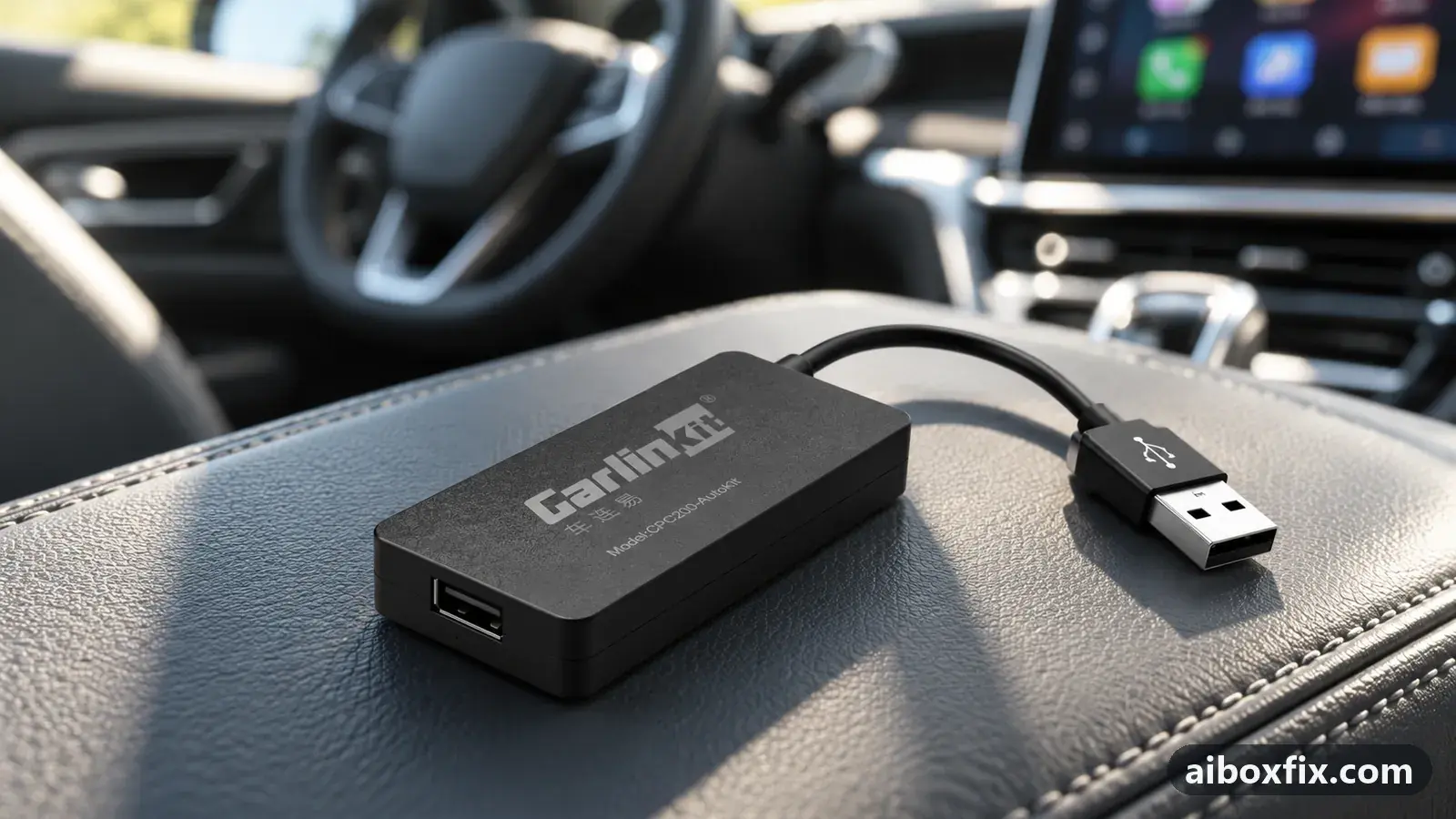
Quick answer
If AutoKit on your AI box will not detect a wireless CarPlay or Android Auto adapter that another bridge app sees, reinstall AutoKit over ADB with adb install instead of the box's own package installer. That made AutoKit detect the adapter for the one owner who reported it. The on-box installer appears to withhold a permission the app needs.
Symptoms
- AutoKit shows no adapter connected, while another bridge app detects the same adapter on the same box
- A wireless CarPlay or Android Auto adapter works through a different app but not through AutoKit
- Plugging the adapter straight into the box or through a USB hub makes no difference
- AutoKit was installed from the box's own package installer, not over ADB
Applies to
- Devices
- Carlinkit CPC200-Autokit / wireless adapters
- Connection to the car
- CarPlay and Android Auto
- Highest risk on this page
- Advanced
- Status
- Workaround confirmed by the community
Why it happens
AutoKit is the app that drives a wireless CarPlay / Android Auto adapter plugged into the box’s USB port. When the app cannot claim that adapter, it reports nothing connected, even though the adapter is seated and powered.
The clue is that a second bridge app, installed a different way, can see the same adapter on the same box. That rules out the adapter and the USB port. One owner confirmed the adapter worked through another app with and without a USB hub, so the hardware was not the problem.
What differed was how AutoKit itself got onto the box. The owner’s reading was that the box’s built-in package installer did not grant AutoKit the permissions it needs to reach the adapter. Installing the same app over ADB gave it those permissions, and AutoKit then detected the adapter. Treat the permission explanation as his account of the cause; what is confirmed is that the ADB install is what worked.
Fixes, ranked
Reinstall AutoKit over ADB instead of the on-box installer
- Advanced
- Time: 20 minutes
- Worked for 1 of 1 report
Warranty warning: this uses developer or engineering access. Follow the undo steps afterwards; some sellers refuse warranty claims on units with debugging left enabled.
- Confirm the adapter itself works first. If a second bridge app detects it on the same box, with or without a USB hub, the adapter and the port are fine and only AutoKit is at fault. If no app sees it, this is a different problem; see the car doesn’t detect the box.
- Have the AutoKit app file ready on your computer. Get it from the adapter’s maker or its official support channel; this site does not host or link app files.
- Enable ADB on the box and connect it to the computer, following enable ADB on an AI box. The general steps for getting an app onto the box are in install an APK on the box; here you install it over ADB rather than through the box’s file manager.
- With the box listed by
adb devices, install the app from the computer:
adb install autokit.apk- Switch ADB back off before you reconnect to the car (enter the ADB code again or run the setprop command from the ADB guide), reconnect the adapter, and open AutoKit.
The one owner who reported this had another bridge app see his adapter while AutoKit showed nothing, with and without a USB hub. After he reinstalled AutoKit over ADB, AutoKit detected the adapter and worked. His box model was not recorded, so treat this as a route to try on any box rather than one tied to a particular model.
Things to try (unverified)
- Check AutoKit’s own permissions in Android settings. If the cause really is a missing permission, open Settings → Apps → AutoKit → Permissions and grant everything it lists, then reconnect the adapter. No owner reported trying this instead of the ADB install, so it is untested here.
- Make sure AutoKit is waiting for the adapter, not a phone. If AutoKit is sitting on a “waiting for phone” screen rather than failing to see the adapter at all, that is a different symptom; see AutoKit stuck waiting for the phone.
If nothing works
Record which app does see the adapter, whether you tried a USB hub, how AutoKit was installed, and the box model and firmware date (Settings → About). If no app on the box sees the adapter, the issue is the adapter or the port, not AutoKit, and the adapter’s maker should handle it. If you are weighing a different box or adapter, start here.
What owners said
“As I understood it, the system didn't give the app the permissions it needed when you install it through the installer. I installed it via ADB and everything worked.”
Owner, Jul 2026
Quotes are translated where needed and shortened ([…]); names are removed. Full counts are in the evidence table below.
Questions owners ask
Is the adapter faulty if AutoKit cannot see it?
Probably not. The one owner who hit this had a second bridge app detect the same adapter on the same box, so the hardware was working. When one app sees the adapter and AutoKit does not, the problem is AutoKit, not the adapter.
Does a USB hub change anything?
No. The owner tried the adapter plugged straight into the box and through a USB hub, and it made no difference either way. The fix was how AutoKit itself was installed, not the connection.
Why would installing over ADB work when the box's installer does not?
The owner's reading was that the system did not grant AutoKit the permissions it needs when he installed it from the on-box package installer. Installing the same app with adb install gave it those permissions, and AutoKit then saw the adapter.
Related fixes
- Enable ADB on an AI Box (Ottocast Port 65535): 25 Owner ReportsAdvanced
- Install an APK on the Box: Transfer, File Manager, InstallerLow risk
- AutoKit Stuck on "Waiting for Phone": Use the 5 GHz HotspotAdvanced
- "Device Not Supported" After Enabling ADB: Turn ADB OffAdvanced
- AutoKit Ignores Touch After the Car Starts? Check One PermissionLow risk
Did this work for you?
Tell us which fix worked (or didn't), with your box, firmware date and car. Reports are how fixes get confirmed and re-ranked.
Send a reportChangelog
- Last reviewed against new community reports:
- Confirmed by 1 community report on Any Android AI box.
- Page updated:
"Confirmed" means a community member reported that the fix worked on their unit. We have not tested it on our own hardware. How we verify.
Evidence behind these counts (1 case)
One row per case: a device, a symptom and a fix, merged from owner reports. An owner counts once per fix. Reports with no outcome yet are not counted. Forum and chat message references are kept on file but not published, to protect owners' privacy; public Reddit and YouTube sources are linked.
| Case | Confirmed on | Result | Source |
|---|---|---|---|
| case-1226 | Any Android AI box | 1 worked | Owner discussion threads, 2 messages |